
Java 12 brought some useful additions and comparing two files using a newly added method ‘Mismatch()’ is one of them. In this post, we will learn “How to use Files.mismatch() method introduced in Java 12?”.
Here, we are going to learn the following things:
- What is Files.mismatch() method?
- How to use it?
Compare files with Files.mismatch() in Java 12...!!! Share on X
Let’s Begin,
1. What is Files.mismatch() method?
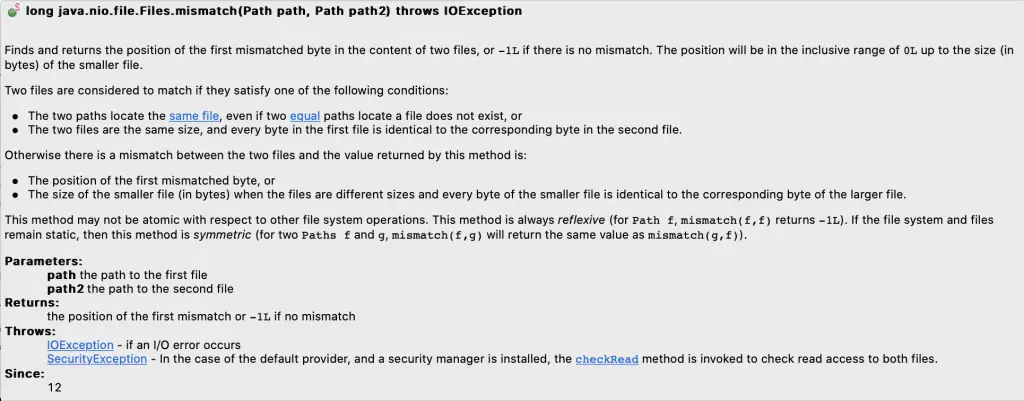
This method returns the position of the first mismatch or -1L if there is no mismatch.
2. How to use it?
Let’s take an example where we have a few temp files. First, we are comparing the files which are identical, and later comparing the unidentical ones using ‘mismatch()’ method.
1 2 3 4 5 6 7 8 9 10 11 12 13 14 15 16 17 18 19 20 21 22 23 24 25 26 27 28 29 30 31 32 33 34 35 36 37 38 39 40 41 42 43 44 45 46 47 48 49 50 51 52 53 54 55 56 57 58 59 60 61 62 63 64 65 | import java.io.IOException; import java.nio.file.Files; import java.nio.file.Path; public class File_Mismatch_Java12_Example { public static void main(String[] args) throws IOException { long mismatch; System.out.println("Example of MATCHED Files\n"); //Create 2 temp files (File1 and File2) Path file_Path1 = Files.createTempFile("File1", ".txt"); Path file_Path2 = Files.createTempFile("File2", ".txt"); //Write same content to both temp files Files.writeString(file_Path1, "Techndeck - For Programmers & Entrepreneurs"); Files.writeString(file_Path2, "Techndeck - For Programmers & Entrepreneurs"); //Compare the files mismatch = Files.mismatch(file_Path1, file_Path2); System.out.println("RULE - If files match, returned value is -1"); if (mismatch == -1) { System.out.println("Result -> Files Matched where Mismatch Position in File 1 & File 2 is: " + mismatch); } else { System.out.println("Result -> Files did not Match where Mismatch Position in File 1 & File 2 is: " + mismatch); } //Delete both the files file_Path1.toFile().deleteOnExit(); file_Path2.toFile().deleteOnExit(); System.out.println("\nExample of UNMATCHED Files\n"); //Example with unmatched files //Create 2 temp files (File1 and File2) Path file_Path3 = Files.createTempFile("File3", ".txt"); Path file_Path4 = Files.createTempFile("File4", ".txt"); //Write different content to both temp files Files.writeString(file_Path3, "Techndeck"); Files.writeString(file_Path4, "Deepak Verma"); //Compare the files mismatch = Files.mismatch(file_Path3, file_Path4); System.out.println("RULE - If files match, returned value is -1"); if (mismatch == -1) { System.out.println("Result -> Files Matched where Mismatch Position in File 1 & File 2 is: " + mismatch); } else { System.out.println("Result -> Files did not Match where Mismatch Position in File 1 & File 2 is: " + mismatch); } //Delete both the files file_Path3.toFile().deleteOnExit(); file_Path4.toFile().deleteOnExit(); } } |
Output:
1 2 3 4 5 6 7 8 9 | Example of MATCHED Files RULE - If files match, returned value is -1 Result -> Files Matched where Mismatch Position in File 1 & File 2 is: -1 Example of UNMATCHED Files RULE - If files match, returned value is -1 Result -> Files did not Match where Mismatch Position in File 1 & File 2 is: 0 |
Compare files with Files.mismatch() in Java 12...!!! Share on X
Do you like this Post? – then check my other helpful posts:


