
In this post, we will learn “How to write String to a file in Java 11?”. Java 11 introduced writeString() API to do that.
Here, we are going to learn following things:
- What is writeString() API?
- How to use it?
Write String to a File in Java 11 using writeString method?...!!! Share on X
Let’s Begin,
1. What is writeString() API?
Java 11 introduced two new overloaded methods as part of java.nio.file.Files class.
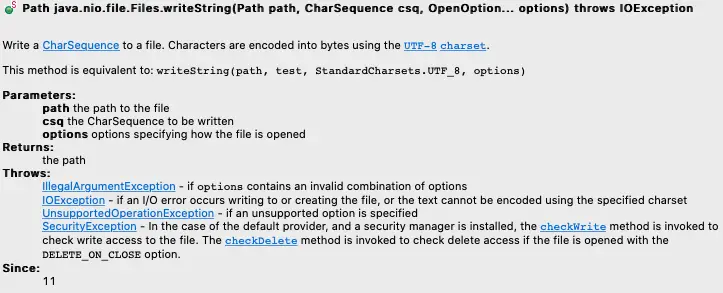
Path writeString(Path path, CharSequence csq, OpenOption… options):
- This method write a CharSequence to a file. Characters are encoded into bytes using the
UTF-8charset. - This method is equivalent to:
writeString(path, test, StandardCharsets.UTF_8, options)
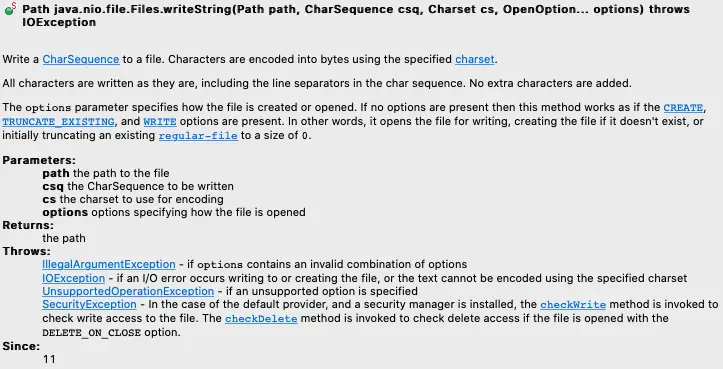
Path writeString(Path path, CharSequence csq, Charset cs, OpenOption… options):
- This method write a CharSequence to a file. Characters are encoded into bytes using the specified charset.
- All characters are written as they are, including the line separators in the char sequence. No extra characters are added.
- The
optionsparameter specifies how the file is created or opened. If no options are present then this method works as if theCREATE,TRUNCATE_EXISTING, andWRITEoptions are present. In other words, it opens the file for writing, creating the file if it doesn’t exist, or initially truncating an existingregular-fileto a size of0.
2. How to use it?
Let’s take an example where we have a File (TestingFile.txt). Now, we are going to write some string content onto that File using writeString API.
Note: In below example, after writing into the file, we are performing a check to make sure string is successfully written onto the file.
1 2 3 4 5 6 7 8 9 10 11 12 13 14 15 16 17 18 19 20 21 22 23 24 25 26 27 28 29 30 31 32 33 34 35 36 | import java.io.IOException; import java.nio.file.Files; import java.nio.file.LinkOption; import java.nio.file.Path; import java.nio.file.Paths; public class Write_String_To_File_Java11 { public static void main(String[] args) { //Make sure file exists at below location var File_Path = Paths.get("/Users/d33p4k/Docs/TestingFile.txt"); try { //Write "This is Techndeck" string into the above file using writestring Files.writeString(File_Path, "This is Techndeck", LinkOption.values()); //Now Check String successfully written in the file checkFileContainsString(File_Path); } catch (IOException ex) { ex.printStackTrace(); } } public static void checkFileContainsString(Path p) throws IOException { var File_Content = Files.readString(p); System.out.println("String present in the file is: " + File_Content); } } |
Output:
1 | String present in the file is: This is Techndeck |
Write String to a File in Java 11 using writeString method?...!!! Share on X
Do you like this Post? – then check my other helpful posts:


